
Anúncios
Measuring distances has never been easier thanks to modern smartphone technology and innovative apps designed to turn your device into a powerful digital measuring tool.
Whether you’re a professional contractor, interior designer, real estate agent, or simply someone who enjoys DIY projects around the house, distance measuring apps have revolutionized how we approach spatial calculations. Gone are the days when you needed to carry bulky tape measures or expensive laser measuring devices everywhere you go.
Anúncios
These digital tools leverage augmented reality (AR), camera sensors, and sophisticated algorithms to provide accurate measurements right from your pocket. From measuring room dimensions for furniture shopping to calculating land areas for construction projects, these apps offer versatility that traditional tools simply cannot match. Let’s explore everything you need to know about distance measuring applications and how they can simplify your daily tasks.
📱 How Distance Measuring Apps Actually Work
The technology behind distance measuring apps is fascinating and continues to evolve rapidly. Most modern applications utilize your smartphone’s camera combined with augmented reality technology to calculate distances with impressive precision.
Anúncios
When you point your phone’s camera at an object or surface, the app uses visual markers and reference points to establish spatial relationships. Advanced algorithms process the camera feed in real-time, identifying surfaces, edges, and dimensional boundaries. The app then applies trigonometric calculations based on the camera’s position, angle, and the device’s built-in sensors like the gyroscope and accelerometer.
Some premium apps also integrate with LiDAR sensors found in newer smartphone models, particularly recent iPhone Pro versions. LiDAR (Light Detection and Ranging) technology emits laser pulses that bounce back from objects, allowing the device to create detailed depth maps of your surroundings. This results in measurement accuracy that rivals professional equipment in many scenarios.


🎯 Key Features to Look For in Measurement Apps
Not all distance measuring apps are created equal. Understanding which features matter most can help you choose the right tool for your specific needs.
Measurement Modes and Versatility
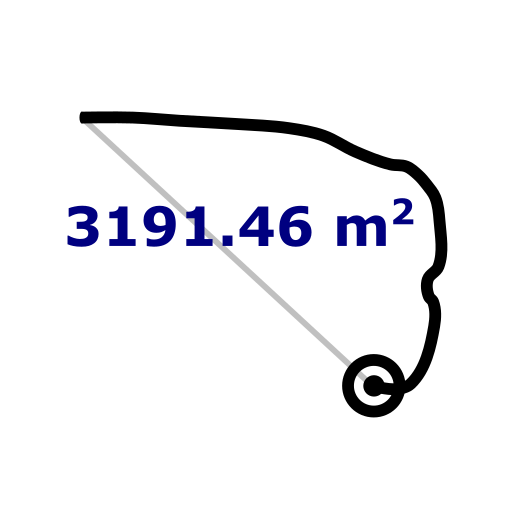
The best apps offer multiple measurement modes beyond simple point-to-point distance calculations. Look for applications that provide height measurement, area calculation, volume estimation, and angle detection. This versatility ensures you can handle various projects without switching between different tools.
Advanced apps also include features like path measurement for calculating distances along curved or irregular routes, and room scanning capabilities that automatically map entire spaces with a single sweep of your device.
Unit Conversion and Customization
Professional-grade measurement apps should support multiple unit systems including metric (meters, centimeters) and imperial (feet, inches, yards). Instant conversion between units saves time and reduces calculation errors, especially when working on international projects or following plans from different regions.
Customizable settings that let you set default units, decimal precision, and measurement preferences streamline your workflow and make the app adapt to your working style rather than forcing you to adapt to the app.
Screenshot and Annotation Tools
The ability to capture measurements with visual context proves invaluable for documentation and communication. Quality apps include screenshot functions that save measurements directly onto the image, along with annotation tools for adding notes, arrows, and labels.
These features transform your measurements into shareable professional documents that clients, colleagues, and contractors can easily understand without needing to interpret raw numbers.
🏗️ Practical Applications Across Different Industries
Distance measuring apps have found enthusiastic adoption across numerous professional sectors and everyday situations.
Construction and Architecture
Contractors and architects use these apps for quick site assessments, preliminary measurements, and verification of existing conditions. While they may not completely replace precision laser devices for final measurements, they excel at providing rapid estimates and documenting field conditions.
The ability to instantly measure ceiling heights, wall lengths, and window dimensions accelerates the estimation process and helps professionals provide faster quotes to potential clients.
Real Estate and Property Management
Real estate professionals rely on measurement apps to quickly verify room dimensions, calculate square footage, and provide accurate property information to potential buyers. This technology eliminates the awkwardness of carrying measuring tapes during property showings while maintaining professionalism.
Property managers use these tools for maintenance planning, renovation estimates, and documenting property conditions between tenants.
Interior Design and Home Improvement
Interior designers and homeowners benefit enormously from instant measurement capabilities. Before purchasing furniture, you can verify that a sofa will fit through your doorway or that a dining table suits your space proportions.
DIY enthusiasts planning renovations can measure spaces for flooring, paint coverage calculations, wallpaper requirements, and custom furniture projects with confidence.
🔍 Accuracy Considerations and Best Practices
While distance measuring apps offer remarkable convenience, understanding their limitations and following best practices ensures reliable results.
Environmental Factors That Affect Precision
Lighting conditions significantly impact measurement accuracy. Apps relying on camera-based AR technology perform best in well-lit environments with clear contrast between surfaces. Dim lighting or harsh glare can confuse the algorithms and reduce precision.
Surface texture and color also matter. Highly reflective surfaces, transparent materials like glass, and extremely dark or featureless walls may challenge the app’s ability to detect boundaries accurately.
Proper Technique for Better Results
Hold your device steady when taking measurements, as excessive movement introduces errors. Many apps include on-screen guides that help you maintain the correct angle and distance from your measurement target.
For longer distances, breaking the measurement into segments and adding them together often yields better accuracy than attempting single long-distance readings. Always calibrate your app according to the manufacturer’s instructions, and verify critical measurements with traditional tools when absolute precision matters.
💡 Maximizing Productivity with Advanced Features
Modern measurement apps include productivity-enhancing features that extend their utility beyond simple distance calculations.
Project Organization and Cloud Sync
Professional apps offer project management features that let you organize measurements by job site, room, or client. This organizational structure becomes essential when juggling multiple projects simultaneously.
Cloud synchronization ensures your measurements remain accessible across all your devices and can be backed up automatically, protecting valuable data from device loss or failure.
Export and Sharing Options
The ability to export measurements in various formats—PDF reports, CSV spreadsheets, or image files—facilitates integration with other professional tools. Sharing options via email, messaging apps, or cloud storage make collaboration seamless.
Some advanced applications even integrate with CAD software and 3D modeling programs, allowing direct import of measured dimensions into detailed design work.
🌟 Comparing Free vs Premium Measurement Apps
The app marketplace offers both free and paid distance measuring solutions, each with distinct advantages.
What Free Apps Typically Offer
Free measurement apps generally provide basic distance, height, and area calculations sufficient for casual home use and simple projects. They include standard screenshot capabilities and basic unit conversions.
However, free versions often display advertisements, limit the number of saved measurements, or restrict access to advanced features like LiDAR integration, detailed annotations, or professional export formats.
Premium Features Worth Considering
Paid apps or premium subscriptions remove advertising interruptions and unlock advanced functionality like unlimited project storage, priority customer support, and regular feature updates.
Professional users benefit from features like batch processing multiple measurements, advanced 3D room scanning, integration with professional software ecosystems, and precision calibration tools that push accuracy closer to dedicated laser measuring devices.
🚀 Future Trends in Distance Measurement Technology
The evolution of smartphone sensors and computational capabilities promises exciting developments for measurement applications.
Enhanced Sensor Integration
As LiDAR technology becomes standard across more smartphone models, measurement apps will achieve unprecedented accuracy levels. Future iterations may combine multiple sensor types—including thermal imaging and ultrasonic detection—to measure through obstacles and in challenging environments.
Machine learning algorithms will improve surface recognition, automatically identifying materials and suggesting appropriate measurement techniques for optimal accuracy.
Augmented Reality Advancement
Next-generation AR frameworks will enable apps to create persistent spatial maps that remember room layouts and previous measurements. Imagine pointing your phone at a wall and instantly seeing all previous measurements overlaid in real-time, complete with historical notes and annotations.
Virtual furniture placement features will become more sophisticated, allowing you to visualize purchases in your space with photorealistic rendering before committing to expensive items.
🛠️ Tips for Choosing Your Perfect Measurement App
Selecting the right distance measuring app depends on your specific requirements and usage patterns.
Assess Your Primary Use Cases
Consider whether you need occasional measurements for home projects or daily professional use. Casual users may find free apps perfectly adequate, while professionals should invest in premium solutions that offer reliability, advanced features, and proper documentation capabilities.
Identify which measurement types you’ll use most frequently—simple distances, complex area calculations, or 3D room scanning—and prioritize apps that excel in those specific functions.
Check Device Compatibility
Verify that your smartphone supports the app’s requirements, particularly for features like LiDAR that need specific hardware. Read user reviews from people with your exact device model to understand real-world performance expectations.
Consider whether you need cross-platform compatibility if you use multiple devices or collaborate with team members on different operating systems.
📊 Accuracy Comparison: Apps vs Traditional Tools
Understanding how measurement apps compare to conventional tools helps set realistic expectations.
| Tool Type | Typical Accuracy | Best Use Cases | Portability |
|---|---|---|---|
| Measurement Apps (standard) | ±1-2% margin | Quick estimates, general projects | Excellent |
| Measurement Apps (LiDAR) | ±0.5-1% margin | Professional work, detailed planning | Excellent |
| Tape Measure | ±0.1-0.5% margin | Direct contact measurements | Good |
| Laser Distance Meter | ±0.05-0.1% margin | Professional precision work | Moderate |
🎓 Learning to Master Your Measurement App
Taking time to fully understand your chosen app’s capabilities dramatically improves results and efficiency.
Experiment with Calibration Settings
Most apps include calibration routines that optimize performance for your specific device. Run these calibrations periodically, especially after software updates or if you notice accuracy drift.
Test your app against known distances using a tape measure or ruler to develop confidence in its accuracy range and understand where it performs best.
Practice Different Measurement Scenarios
Spend time practicing various measurement types in controlled environments before relying on the app for critical projects. Understand how lighting changes, surface types, and measurement angles affect your results.
Develop muscle memory for the app’s interface so you can work quickly and efficiently when time matters, such as during client meetings or busy job sites.
🌐 Security and Privacy Considerations
As with any smartphone application, understanding privacy implications ensures responsible use of measurement apps.
Review the app’s permissions carefully. While camera access is obviously necessary for functionality, be cautious about apps requesting excessive permissions unrelated to measurement tasks. Check whether measurement data, project photos, and location information are stored locally or uploaded to cloud servers.
For sensitive projects involving proprietary designs or confidential locations, choose apps with strong privacy policies and consider options that operate entirely offline or allow you to control data sharing explicitly.
✨ Transforming Your Workflow with Digital Measurement
Distance measuring apps represent more than convenient gadgets—they fundamentally change how we interact with physical space. The ability to capture accurate dimensional information instantly opens possibilities that simply weren’t practical with traditional measuring tools.
Whether you’re a seasoned professional seeking efficiency improvements or a homeowner tackling weekend projects, these applications deliver remarkable value. The technology continues advancing rapidly, with each generation offering improved accuracy, expanded features, and more intuitive interfaces.
By understanding how these apps work, recognizing their strengths and limitations, and choosing solutions aligned with your specific needs, you can harness this technology to work smarter and more confidently. The measuring tape isn’t obsolete, but it now has a powerful digital companion that fits comfortably in your pocket and delivers results that would have seemed like science fiction just a decade ago.
Embrace the convenience, explore the capabilities, and discover how distance measuring apps can simplify your projects while maintaining the accuracy and professionalism your work demands. The future of measurement is already here, right in the palm of your hand. 📏✨
