
Measuring spaces, objects, and distances has never been easier thanks to modern smartphone technology and innovative tape measure apps available today.
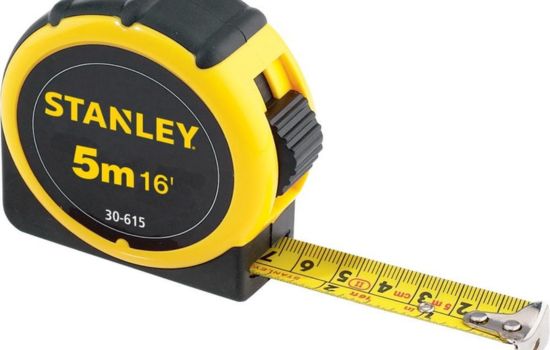
Gone are the days when you needed to carry a bulky tape measure everywhere you go. Your smartphone can now serve as a powerful measurement tool, utilizing augmented reality (AR) and advanced camera technology to measure virtually anything around you. Whether you’re a professional contractor, an interior designer, a DIY enthusiast, or simply someone who needs quick measurements for everyday tasks, tape measure apps offer convenience and accuracy right in your pocket.
These digital measuring tools have revolutionized how we approach spatial planning, furniture shopping, home improvement projects, and countless other activities. Let’s explore everything you need to know about tape measure apps and how they can simplify your life. 📱📏
How Tape Measure Apps Actually Work 🔍
Understanding the technology behind these apps helps you appreciate their capabilities and limitations. Most modern tape measure applications rely on augmented reality (AR) technology, which combines your phone’s camera feed with digital overlays to create interactive measurements.
The process begins when you point your camera at a surface or object. The app uses sensors like the gyroscope, accelerometer, and camera to detect depth and distance. Advanced algorithms analyze the visual data, identifying planes and edges in real-time. When you mark a starting point and an ending point, the app calculates the distance between them using trigonometry and spatial recognition.


The Role of ARCore and ARKit
Android devices typically use Google’s ARCore platform, while Apple devices utilize ARKit. Both technologies enable motion tracking, environmental understanding, and light estimation. These frameworks allow apps to place virtual objects in real-world spaces with remarkable precision, making accurate measurements possible without physical tools.
Newer smartphones with LiDAR (Light Detection and Ranging) sensors, like recent iPhone Pro models, offer even greater accuracy. LiDAR technology uses laser pulses to measure distances, creating detailed 3D maps of your surroundings instantly. This results in faster, more precise measurements, especially in low-light conditions.
Key Features to Look For in Measurement Apps ✨
Not all tape measure apps are created equal. When choosing the right application for your needs, consider these essential features that separate excellent tools from mediocre ones:
- Multiple measurement units: The ability to switch between metric (centimeters, meters) and imperial (inches, feet) systems seamlessly
- Save and share functionality: Options to store measurements, add notes, and share data via email or messaging apps
- Screenshot capability: Taking photos with measurement overlays for documentation purposes
- 3D room scanning: Creating floor plans or mapping entire rooms for renovation projects
- Area and volume calculations: Automatic computation of square footage or cubic measurements
- Angle measurements: Determining slopes, inclines, or vertical alignments
- History tracking: Keeping records of past measurements for reference
Accuracy Considerations
While tape measure apps are impressively accurate for most casual purposes, they typically achieve precision within 1-2% for distances up to 10 feet. Professional-grade measurements may still require traditional tools, especially for construction or engineering applications where millimeter precision matters.

Practical Applications for Everyday Life 🏠
The versatility of smartphone tape measure apps extends far beyond simple length measurements. These digital tools have become indispensable for numerous everyday scenarios.
Furniture Shopping Made Simple
Imagine standing in a furniture store, wondering if that beautiful sofa will fit in your living room. Instead of guessing or returning home to measure, simply pull out your phone and measure the space instantly. You can also measure the furniture itself to compare dimensions, ensuring a perfect fit before making a purchase.
Online shopping for furniture becomes less risky when you can accurately measure doorways, hallways, and placement areas. No more buying items that won’t fit through your door or overwhelm your space!
Home Improvement and DIY Projects
Planning a gallery wall, installing shelves, or figuring out how much paint you need? Tape measure apps help you calculate wall dimensions, ceiling heights, and surface areas quickly. Many apps even include features specifically designed for home improvement, such as calculating materials needed based on measurements.
Hanging pictures becomes effortless when you can precisely measure spacing and height without holding a tape measure, pencil, and level simultaneously. The app can even help you visualize placement before hammering any nails. 🖼️
Real Estate and Property Evaluation
Real estate agents, property managers, and potential buyers find these apps invaluable for quick room measurements during showings. Creating rough floor plans on-site helps clients visualize spaces and make informed decisions without scheduling additional visits.
Landlords can document property dimensions for listings, while tenants can verify square footage claims independently.
Professional Uses That Save Time and Money 💼
Beyond casual home use, professionals across various industries have integrated tape measure apps into their workflows, improving efficiency and reducing equipment costs.
Construction and Contracting
While traditional measuring tools remain essential for precision work, contractors use smartphone apps for preliminary estimates, quick site assessments, and client consultations. These apps help generate instant quotes during property visits, impressing clients with modern technology and professionalism.
Electricians, plumbers, and HVAC technicians benefit from quick measurements when planning installations or identifying equipment sizes needed for jobs.
Interior Design and Architecture
Interior designers create spatial plans on-site using measurement apps, reducing the need for multiple visits. They can capture room dimensions, ceiling heights, and window measurements in minutes, then share this data with clients or team members immediately.
Architects use these tools for initial site surveys and conceptual planning, though they still rely on professional equipment for final technical drawings.
Moving and Logistics Companies
Moving companies assess spaces more efficiently, determining if furniture will fit through doorways and stairwells. This prevents costly surprises on moving day and helps provide accurate quotes based on actual spatial challenges. 🚚
Tips for Getting the Most Accurate Measurements 🎯
Maximizing accuracy with your tape measure app requires understanding its limitations and following best practices during use.
Optimize Your Environment
Good lighting significantly improves measurement accuracy. Natural daylight or bright indoor lighting helps the app’s camera and sensors detect surfaces more clearly. Avoid measuring in dim conditions unless your device has LiDAR technology.
Clear, uncluttered spaces work best. The app needs to identify distinct surfaces and edges, which becomes difficult in crowded or visually complex environments.
Calibration and Setup
Many apps require brief calibration before first use. Follow the on-screen instructions carefully, moving your phone as directed to help it understand the space. This initial setup dramatically improves subsequent measurement accuracy.
Hold your phone steady and move slowly when taking measurements. Rushing or shaky hands introduce errors into calculations. Treat your smartphone like a precision instrument, which it essentially becomes with the right app.
Verification Techniques
For important measurements, take multiple readings and compare results. Most apps allow you to remeasure the same distance several times. If results vary significantly, environmental factors or technique may need adjustment.
When precision matters most, verify app measurements with a traditional tape measure. This builds confidence in the app’s accuracy for your specific phone and typical use cases.
Comparing Free vs. Premium Versions 💰
Most tape measure apps offer both free and paid versions, each with distinct advantages depending on your needs and usage frequency.
What Free Versions Typically Include
Free apps usually provide basic linear measurements, screenshot capabilities, and simple unit conversions. These versions work perfectly well for occasional home use, furniture shopping, or casual DIY projects.
Advertisements support free versions, which may interrupt your workflow occasionally. Some free apps also watermark saved images or limit the number of measurements you can store.
Premium Features Worth Considering
Paid versions or in-app purchases typically remove advertisements and unlock advanced features like floor plan creation, 3D room modeling, unlimited measurement storage, and cloud syncing across devices.
Professional users who rely on these tools daily often find premium versions worthwhile, while casual users may never need features beyond the free offerings. Evaluate your actual needs before purchasing upgrades.
Privacy and Permissions to Understand 🔒
Tape measure apps require camera access to function, and many request additional permissions that deserve consideration before granting access.
Camera permission is obviously necessary for AR measurement. Location services help some apps provide context for saved measurements, though this isn’t strictly required for basic functionality. Storage access allows apps to save images and measurement data to your device.
Review each app’s privacy policy to understand how it handles your data. Reputable apps don’t need to collect personal information beyond basic device details. Be cautious about granting unnecessary permissions to unknown developers.
Future Developments in Mobile Measurement Technology 🚀
The evolution of smartphone sensors and AR technology continues advancing rapidly, promising even more impressive capabilities in future tape measure apps.
Expanded LiDAR implementation across more smartphone models will democratize high-precision measurement. As this technology becomes standard rather than premium, app accuracy will improve universally.
Artificial intelligence integration will enable apps to automatically recognize objects and suggest relevant measurements. Imagine pointing your phone at a room and having the app automatically measure every dimension, identify furniture placement opportunities, and even suggest design improvements.
Cloud-based collaboration features will allow teams to work together on measurement projects in real-time, sharing data instantly across geographical distances. This will particularly benefit construction teams, real estate professionals, and design firms.
Troubleshooting Common Issues 🔧
Even the best apps occasionally encounter problems. Understanding common issues helps you resolve them quickly and continue working efficiently.
App Won’t Detect Surfaces
If the app struggles to identify surfaces or planes, improve lighting conditions or move to an area with more defined edges and contrasts. Blank walls or uniform surfaces sometimes confuse AR algorithms.
Ensure your camera lens is clean. Smudges, fingerprints, or dirt significantly degrade the quality of visual information the app receives, leading to detection failures.
Inaccurate or Inconsistent Results
Recalibrate the app by following its setup process again. Device sensors can drift over time or after software updates, requiring recalibration for optimal performance.
Check for app updates regularly. Developers continuously improve algorithms and fix bugs that might affect measurement accuracy.
App Crashes or Freezes
Close other running applications to free up processing power and memory. AR measurement requires significant computational resources, and older phones may struggle when multitasking.
Restarting your phone often resolves temporary software conflicts that cause apps to malfunction. If problems persist, reinstalling the app provides a fresh start.
Making the Most of Your Digital Tape Measure 📲
Integrating a tape measure app into your daily routine transforms how you approach spatial planning and problem-solving. The convenience of always having a measuring tool available eliminates the common frustration of needing measurements when traditional tools aren’t accessible.
Start using your app for simple tasks to build familiarity and confidence. Measure everyday objects around your home, comparing results with a physical tape measure to understand your specific device’s accuracy characteristics.
Create a habit of taking measurements whenever you’re considering furniture purchases, planning renovations, or evaluating spaces. The more you use the app, the more opportunities you’ll discover to apply this versatile tool.
Share your favorite app with friends and family who might benefit from this technology. Many people remain unaware that their smartphones possess such practical capabilities hiding behind a simple download.
Embracing the Convenience of Digital Measurement Tools 🎉
Tape measure apps represent a perfect example of how smartphone technology solves real-world problems with elegant simplicity. By combining advanced sensors, clever software, and intuitive interfaces, these apps democratize precision measurement for everyone.
Whether you’re a professional tradesperson seeking efficient preliminary measurements, a homeowner tackling weekend projects, or someone who simply appreciates having versatile tools available, smartphone tape measures deliver genuine value without the bulk of traditional equipment.
The technology continues improving, making these apps increasingly accurate and feature-rich with each update. As augmented reality becomes more sophisticated and device sensors more precise, the gap between digital and physical measuring tools narrows considerably.
Download a tape measure app today and discover how this simple tool can simplify countless everyday situations. You’ll wonder how you managed without this pocket-sized measurement assistant that’s always ready when you need it most. Your smartphone just became even more indispensable than before! 📐✨
