
Anúncios
Digital art applications have revolutionized how artists create, transforming tablets and smartphones into powerful creative studios accessible to everyone, everywhere.
The rise of digital art applications has democratized creativity in ways traditional mediums never could. What once required expensive equipment, dedicated studio space, and years of technical training is now available at your fingertips. Whether you’re a professional illustrator, a hobbyist exploring new techniques, or someone who simply enjoys doodling during coffee breaks, there’s a digital art app designed specifically for your needs.
Anúncios
These sophisticated tools combine intuitive interfaces with professional-grade features, allowing artists to experiment freely without the cost of physical supplies. From realistic oil painting simulations to vector illustration capabilities, modern digital art applications offer endless possibilities for creative expression. Let’s explore what makes these apps so transformative and how they’re reshaping the artistic landscape.
🎨 Why Digital Art Applications Have Become Essential Tools
The shift from traditional to digital art isn’t about replacing one with the other—it’s about expanding possibilities. Digital art applications provide flexibility that physical mediums simply cannot match. Made a mistake? Undo it instantly. Want to try a different color palette? Experiment without wasting materials. Need to work on the same piece across multiple devices? Cloud syncing has you covered.
Anúncios
Professional artists appreciate the efficiency these apps bring to their workflow. Layers allow for non-destructive editing, meaning you can adjust individual elements without affecting the entire composition. This feature alone saves countless hours compared to traditional methods where corrections might require starting over completely.
For beginners, digital art apps remove many barriers to entry. There’s no need to invest in expensive canvases, brushes, or paints before discovering whether art is truly your passion. You can explore watercolors, acrylics, charcoal, and countless other mediums within a single application, all without the cleanup or storage concerns.


✨ Core Features That Define Outstanding Digital Art Apps
Not all digital art applications are created equal. The best ones share certain characteristics that elevate them above simple drawing programs. Understanding these features helps you choose the right tool for your creative journey.
Brush Engines and Customization
The heart of any digital art application lies in its brush engine. Premium apps offer hundreds of preset brushes that simulate everything from soft pencils to thick impasto oil paints. What truly separates exceptional apps from mediocre ones is customization—the ability to adjust pressure sensitivity, flow dynamics, texture patterns, and blending modes to create exactly the effect you envision.
Advanced brush engines respond to stylus pressure, tilt, and rotation, translating your physical movements into nuanced digital strokes. This responsiveness creates a natural drawing experience that feels remarkably close to working with traditional tools.
Layer Management Systems
Layers revolutionized digital art by allowing artists to separate different elements of their composition. Imagine painting a landscape where the sky, mountains, trees, and foreground elements each exist on separate transparent sheets. You can rearrange, adjust, or completely replace any element without touching the others.
Modern digital art applications offer advanced layer features including clipping masks, adjustment layers, blending modes, and group organization. These tools enable complex compositions that would be nearly impossible to achieve traditionally.
Selection and Transformation Tools
The ability to select specific portions of your artwork and manipulate them independently provides incredible creative freedom. Whether you need to resize a character’s head, rotate a building to correct perspective, or move an entire tree to improve composition, selection tools make it effortless.
Sophisticated apps include magnetic selection tools that automatically detect edges, color-range selectors that grab similar hues, and alpha-lock features that let you paint only on existing pixels without going outside the lines.
🖌️ Different Types of Digital Art Applications
The digital art world encompasses various specialized applications, each designed for specific creative purposes. Understanding these categories helps you select tools that align with your artistic goals.
Raster-Based Painting Apps
These applications work with pixels, similar to traditional painting and photography. They excel at creating illustrations, concept art, digital paintings, and photo manipulation. The painting experience feels organic, with brushes that blend, smudge, and layer just like physical media. These apps are ideal for illustrators, character designers, and digital painters who prioritize artistic expression over technical precision.
Vector Illustration Software
Vector apps create artwork using mathematical paths rather than pixels, resulting in graphics that scale infinitely without quality loss. These tools are perfect for logo design, typography, icon creation, and technical illustrations. While they offer less painterly freedom than raster apps, they provide unmatched precision and editability for design-focused projects.
Animation and Motion Graphics Tools
Specialized apps bring static artwork to life through animation. Frame-by-frame animation apps let you create traditional animated sequences, while motion graphics tools enable sophisticated effects and transitions. These applications often include timeline editors, onion skinning for reference frames, and export options optimized for video platforms.
3D Sculpting and Modeling Apps
Though technically a different category, many artists incorporate 3D apps into their digital art workflow. These applications let you sculpt virtual clay, create three-dimensional characters, and render scenes from any angle. The results can be used as reference material, integrated into 2D compositions, or stand alone as finished artworks.

📱 Mobile vs Desktop: Choosing Your Creative Platform
The debate between mobile and desktop digital art applications isn’t about which is better—it’s about understanding the strengths of each platform and how they complement different working styles.
Desktop applications typically offer more processing power, larger screen real estate, and deeper feature sets. They’re ideal for complex projects requiring extensive layer management, high-resolution outputs, and intricate detail work. Professional artists often rely on desktop software for client projects and final artwork production.
Mobile apps shine in portability and accessibility. You can sketch ideas whenever inspiration strikes, whether you’re commuting, traveling, or relaxing in a park. Modern tablets with stylus support rival desktop experiences in many ways, offering pressure sensitivity and precision that satisfy even professional demands.
Many artists adopt a hybrid approach, sketching and concepting on mobile devices before refining and finalizing artwork on desktop workstations. This workflow combines spontaneity with power, letting creativity flow wherever you are while maintaining access to advanced tools when needed.
🌟 Essential Tips for Maximizing Your Digital Art App Experience
Owning a powerful digital art application is just the beginning. Learning to use these tools effectively transforms them from simple software into extensions of your creative vision.
Master Keyboard Shortcuts
Every moment spent navigating menus is time away from creating. Learning keyboard shortcuts for frequently used functions—switching tools, adjusting brush size, flipping canvas, undoing actions—dramatically accelerates your workflow and keeps you in creative flow.
Customize Your Workspace
Most professional apps allow extensive interface customization. Arrange panels to suit your working style, create custom tool palettes with your favorite brushes, and save workspace layouts for different project types. A personalized interface reduces friction and lets you focus on artmaking rather than hunting for tools.
Utilize Reference Images
Digital art applications make working with reference material effortless. Import photos, open reference windows, or use split-screen views to study subjects while you work. This practice improves accuracy and helps develop your observational skills.
Embrace Non-Destructive Workflows
Take advantage of features that preserve your original work. Use adjustment layers instead of directly modifying pixels, duplicate layers before making major changes, and save incremental versions of your projects. These habits provide safety nets that encourage bold experimentation without fear of irreversible mistakes.
💡 Overcoming Common Challenges in Digital Art Creation
Every artist faces obstacles when transitioning to or working within digital mediums. Recognizing these challenges and implementing solutions helps you progress faster and enjoy the creative process more fully.
The Overwhelm of Too Many Options
Digital art apps often include hundreds of brushes, filters, and tools. This abundance can paralyze beginners who don’t know where to start. The solution? Limit yourself initially to a small set of basic tools—perhaps five to ten brushes. Master these thoroughly before expanding your toolkit. Quality trumps quantity in creative work.
Creating Art That Feels Too Clean or Digital
Some artists struggle with digital work looking overly polished or artificial compared to traditional media’s organic imperfections. Combat this by intentionally adding texture layers, varying your brush strokes, working with limited color palettes, and occasionally introducing deliberate imperfections that mimic real-world materials.
Hand and Wrist Fatigue
Extended digital drawing sessions can strain your hands and wrists differently than traditional art. Take regular breaks, adjust your stylus grip, ensure proper ergonomic positioning, and consider using drawing gloves to reduce friction against the screen. Your physical health directly impacts your creative sustainability.
🚀 The Future of Digital Art Applications
Technology continues advancing at breathtaking speed, and digital art applications evolve alongside it. Understanding emerging trends helps you stay ahead of the curve and explore new creative possibilities.
Artificial intelligence integration is transforming how artists work, offering intelligent fill tools that understand context, automated colorization that learns from your style, and smart selection algorithms that save hours of tedious work. Rather than replacing artists, these AI features function as sophisticated assistants that handle technical tasks while you focus on creative decisions.
Cloud-based collaboration features are making art creation more social and interconnected. Multiple artists can work on the same canvas simultaneously, instructors can provide real-time feedback on student work, and teams can collaborate across continents as easily as across a table.
Virtual and augmented reality are opening entirely new dimensions for digital art. Imagine painting in three-dimensional space, walking around your sculptures, or creating immersive environments that viewers can explore. These technologies are moving from experimental novelties to practical creative tools.
🎯 Choosing the Right Digital Art Application for Your Needs
With countless options available, selecting the ideal digital art app requires honest assessment of your goals, experience level, and working preferences.
Beginners benefit from apps with intuitive interfaces, extensive tutorials, and active community support. You want software that encourages exploration rather than intimidating you with complexity. Many excellent apps offer free versions or trial periods—take advantage of these to experiment before committing.
Intermediate artists often seek specialized features that support their developing style. Whether you’re focusing on character illustration, landscape painting, or abstract art, choose apps with robust tools in your area of interest. This is also when you might start building a toolkit of multiple complementary applications.
Professional artists require reliability, advanced features, industry-standard file format support, and efficient workflows that meet client deadlines. Investment in premium software pays dividends through time savings, superior output quality, and seamless integration with other professional tools.
🌈 Building Your Skills Beyond the Software
The most powerful digital art application in the world won’t automatically make you a better artist. These tools amplify your existing skills and enable new techniques, but fundamental artistic principles remain constant across all mediums.
Study composition, color theory, lighting, perspective, and anatomy. These foundational concepts apply equally to oil paintings, watercolors, and digital illustrations. Strong fundamentals elevate your digital work from technically proficient to genuinely compelling.
Practice regularly and intentionally. Digital apps make it easy to create daily, even if just for fifteen minutes. Consistent practice builds muscle memory, develops your artistic voice, and keeps creative momentum flowing. Track your progress by occasionally reviewing older work—you’ll be amazed how quickly you improve.
Engage with artistic communities both online and offline. Share your work, provide thoughtful feedback to others, participate in challenges, and learn from artists whose work inspires you. Digital art may be created on solitary devices, but artistic growth thrives in community.
🔥 Transforming Ideas Into Finished Artwork
Digital art applications provide the canvas and tools, but bringing artistic visions to life requires understanding the creative process from concept to completion.
Start with rough sketches that capture basic composition and major elements without worrying about details. Digital apps make iteration effortless—create multiple thumbnail sketches, experiment with different arrangements, and refine ideas before committing to detailed work.
Develop your piece in layers, progressively adding detail and refinement. Begin with basic shapes and values, establish lighting direction, build up color, and finally add finishing touches like textures and highlights. This methodical approach prevents overwhelm and ensures each stage receives proper attention.
Know when to stop. Digital art’s infinite editability tempts endless tweaking, but over-worked pieces often lose vitality. Learn to recognize when your artwork communicates what you intended, then step away. Fresh perspective after a break often reveals whether additional work enhances or diminishes your creation.
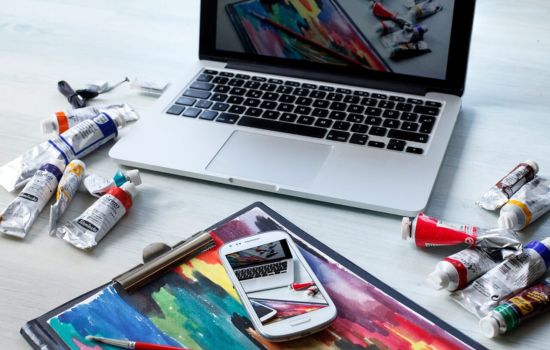
✅ Making Digital Art Applications Work for You
The true power of digital art applications emerges not from their technical specifications but from how effectively you integrate them into your creative practice. These tools adapt to your needs, workflow, and artistic vision when approached with curiosity and intentionality.
Whether you’re creating professionally, exploring art as a serious hobby, or simply seeking a creative outlet, digital art applications offer unprecedented freedom to experiment, learn, and express yourself. The barriers that once separated artists from their visions—expensive materials, dedicated spaces, geographical limitations—have dissolved.
Your artistic journey is uniquely yours, and digital art applications serve as companions along the path. They’ll frustrate you occasionally, amaze you frequently, and ultimately become natural extensions of your creative thinking. The masterpiece you’ve been imagining is waiting to be created, one brush stroke at a time, with tools more powerful and accessible than ever before. The only question remaining is: what will you create today? 🎨
